Plain-language guide

Audio Transcriber Meaning, Explained Simply

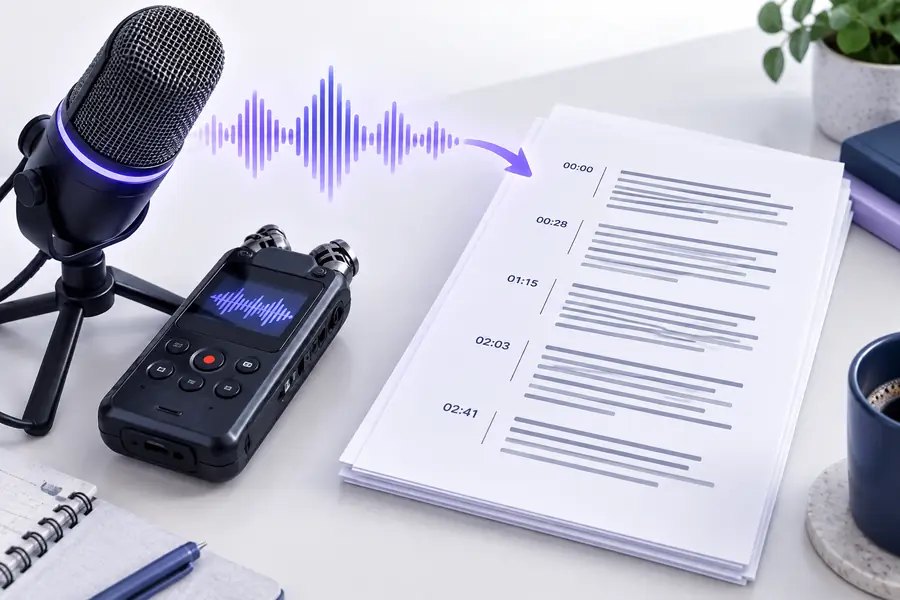
Audio transcriber meaning is straightforward: it is software that listens to spoken words in an audio file or recording and turns them into written text. An audio transcriber can save time, improve searchability, and give people a readable record of a conversation, lecture, interview, or voice memo.

Audio transcription workspace overview

People and projects

Who uses an audio transcriber?

An audio transcriber is useful anywhere spoken information needs to become editable, searchable, or shareable text.

Students

A student records a lecture and needs a readable study reference instead of relying on incomplete notes.

The transcript makes it easier to review key explanations, find terminology, and prepare for an exam. For a practical walkthrough, see how to [transcribe audio to text free online](/transcribe-audio-to-text-free).

transcribe audio to text free online

Journalists and researchers

A reporter records an interview, then needs to locate quotes and confirm wording without replaying the full recording repeatedly.

An audio transcriber creates a working draft that can be searched, edited, and checked against the source recording. The [audio transcription examples](/audio-transcription-examples) page shows common research and media uses.

audio transcription examples

Teams and meeting owners

A project group records a discussion and wants decisions, action items, and unresolved questions in a written format.

A transcript gives the team a shared reference after the meeting and helps absent colleagues catch up. For a step-by-step workflow, see [how to use an audio transcriber online](/how-to-use-audio-transcriber-online).

how to use an audio transcriber online

Creators and podcasters

A creator wants to turn an episode or interview into captions, show notes, articles, or searchable archive text.

The transcript becomes a flexible source for editing and repurposing, while the original audio remains available for verification.

transcribe audio recording to text

Anyone with a voice memo

A person has ideas, reminders, or dictated notes saved as an audio recording and wants them in a usable written form.

An audio transcriber removes the need to type every word manually, making a quick recording easier to organize and revisit.

audio transcriber online free no sign up

From sound to text

How an audio transcriber works

The process usually follows three stages: provide the recording, analyze the speech, and review the resulting text.

  1. 1

    Add an audio source

    The audio transcriber receives a voice memo, interview, meeting, lecture, podcast, or another supported recording. Clearer audio generally gives the system more useful speech to analyze.

  2. 2

    Recognize spoken language

    The system processes the sound, separates speech from silence and background noise, and estimates the words being spoken. Some tools can also identify changes between speakers.

  3. 3

    Review and use the transcript

    The output is a written draft that can be read, searched, copied, edited, or checked against the original recording. Treat it as a productivity aid rather than an unquestionable record.

At a glance

What an audio transcriber can do

The table separates the practical role of an audio transcriber from the work that still depends on human judgment and editing.

Audio transcriber
Manual transcription

Core task

Audio transcriber

Converts spoken audio into a written draft.

Manual transcription

A person listens and types the spoken words.

Starting material

Audio transcriber

Uses a recording such as an interview, lecture, meeting, or voice memo.

Manual transcription

Requires the recording plus sustained human attention.

Searchability

Audio transcriber

Produces text that can be searched and scanned more easily than audio.

Manual transcription

Search is limited until the person creates a written record.

Editing

Audio transcriber

Provides a draft that still benefits from proofreading and formatting.

Manual transcription

Can produce a polished transcript while typing, but revisions take direct effort.

Speaker context

Audio transcriber

May help separate speakers when the recording and tool support it.

Manual transcription

A careful listener can infer identity from context, voices, and conversation flow.

Best use

Audio transcriber

Speeding up first drafts, notes, review, accessibility, and content reuse.

Manual transcription

Final verification, sensitive material, difficult audio, and exact publication copy.

Main limitation

Audio transcriber

May mishear names, jargon, accents, overlapping speech, or noisy sections.

Manual transcription

Is slower and more tiring, especially for long recordings.

Use it wisely

What an audio transcriber cannot do

Understanding the limits is part of the audio transcriber meaning. The output is useful text, but it is not automatically a perfect or fully understood record.

It cannot guarantee every word is correct

Low volume, background noise, crosstalk, accents, unfamiliar names, and technical vocabulary can lead to mistakes.

Workaround

Listen to important passages and proofread names, numbers, quotations, and specialist terms against the recording.

It cannot know every speaker’s intention

An audio transcriber can represent words, but it may not reliably capture irony, hesitation, emotion, implied meaning, or private context.

Workaround

Use human review when tone, interpretation, consent, or a sensitive decision matters.

It cannot replace editorial judgment

A transcript is usually a working draft, not automatically a finished article, legal record, caption file, or publication-ready document.

Workaround

Edit structure, punctuation, speaker labels, timestamps, and formatting for the final audience.

It cannot repair missing audio

If a speaker is inaudible, interrupted, or covered by another voice, software cannot recover words that were never clearly recorded.

Workaround

Improve microphone placement and recording conditions next time, and mark unclear sections honestly in the draft.

Turn spoken ideas into usable text

Now that the audio transcriber meaning is clear, try the workflow on a recording you already have. Start with a short, understandable clip, then review the text before sharing or publishing it.

Try audio transcription
  • Create a readable first draft from a recording
  • Review the result against important audio
  • Reuse the text for notes, research, or content

Common questions

Audio transcriber FAQ

An audio transcriber is a tool or service that converts spoken words in an audio recording into written text. The phrase can describe the software performing the conversion or, less commonly, a person who transcribes audio manually.

It analyzes speech in a recording and produces a text version that can be read, searched, edited, or shared. The result is commonly used for interviews, meetings, lectures, podcasts, voice memos, captions, and research notes.

No. An audio transcriber is the tool or person doing the conversion, while a transcript is the written result. The transcriber creates or drafts the transcript, which may still need proofreading and formatting.

Some audio transcription systems can estimate when speakers change and label them, especially when voices are clear and do not overlap. Speaker labels should still be checked because similar voices, interruptions, and poor recording quality can cause errors.

No transcription method is perfect in every recording. Accuracy can decrease with noise, low volume, strong accents, overlapping speech, unfamiliar names, specialist vocabulary, or incomplete audio, so important text should be reviewed against the source.

Start transcribing
Start transcribing